

Table of Contents
When an LED mirror touch button is not working, the cause is often less dramatic than it looks. The mirror may have lost power at the wall, steam may be confusing the sensor, or the controller may need a full power reset.
A lit button with no mirror light tells a different story. Power is reaching the controls, but the LED driver, light strip, or a connector may have failed.
Start with the symptom you can see. It will point you toward the right check and keep you from taking a wall-mounted mirror apart unnecessarily.
Quick answer: Check the wall switch, plug, GFCI outlet, and circuit breaker. Dry and clean the touch icon, then disconnect power for at least 60 seconds to reset the mirror. If the button responds but the LEDs remain dark, or the breaker trips again, stop troubleshooting and contact the manufacturer or a qualified electrician.
Match the Symptom to the Likely Problem
Touch-button colors are not standardized. A blue icon can mean standby on one model and active power on another, so use the product manual when it explains the indicator lights.
| What the mirror is doing | What it usually suggests | Best place to start |
|---|---|---|
| Touch icon is completely dark | No incoming power | Wall switch, plug, GFCI, breaker |
| Icon is lit but does not respond | Damp or dirty sensor, frozen controller | Dry the glass and reset the mirror |
| Button changes color but LEDs stay off | Driver, strip, or internal connection problem | Manufacturer support or electrician |
| One button works and another does not | Fault limited to one sensor or feature | Test each function separately |
| Light flickers when touched | Unstable power, loose connection, or incompatible dimmer | Review the installation |
| Mirror switches itself on or off | Condensation, residue, or sensor fault | Clean, dry, and ventilate the room |
| Button needs several taps | Moisture, film, incorrect touch, or sensor alignment | Clean the icon and use a dry fingertip |
Do not remove a hardwired mirror, open its electrical housing, or handle exposed wiring as part of these checks. Homeowners can safely inspect the visible controls and household power devices. Work behind the mirror belongs to a qualified electrician or authorized repair technician.

1. Confirm That the Mirror Has Power
A touch icon still depends on incoming electricity. Power may travel through a wall switch, outlet, GFCI, breaker, LED driver, and control board before the light comes on.
For a plug-in mirror, press the plug firmly into the receptacle. Test that outlet with a small lamp or another working device. Avoid using a loose outlet, damaged cord, or extension cord near a sink.
A hardwired LED mirror is often controlled by a wall switch. That switch must stay on before the buttons on the glass can work.
This setup catches people off guard because the illuminated icon looks like the mirror’s main power switch. It is only the final control in the circuit.
If the mirror is completely dark, look at the electrical panel. A tripped breaker may sit between ON and OFF. Move the clearly labeled breaker fully to OFF, then return it to ON once.
If it trips again, leave it off. Repeated trips may signal damaged wiring, moisture, or an internal electrical fault. Resetting it over and over is not a fix.
2. Check the Bathroom GFCI
Many reports of an LED bathroom mirror not turning on begin with a tripped GFCI. A ground-fault circuit interrupter shuts off power when it detects current leaving the intended path, which is especially relevant around water.
The outlet behind the mirror may not have TEST and RESET buttons. It can be protected by another GFCI farther upstream—sometimes in a second bathroom, garage, or nearby room.
Find the applicable GFCI and press RESET once. The Electrical Safety Foundation International recommends testing a GFCI with a small plugged-in device: press TEST to confirm that power shuts off, then RESET to restore it.
A GFCI that will not reset or fails its test should be checked by an electrician. Do not bypass it.
3. Dry and Clean the Touch Icon
Most glass controls are not mechanical buttons. A capacitive touch sensor sits behind the mirror and detects a change in the electrical field when your fingertip touches the marked area.
That sensing method works best on clean, dry glass. Steam can leave a nearly invisible moisture layer over the icon. Soap film, fingerprints, makeup, hairspray, mineral deposits, and dried cleaner can also make the control slow, unresponsive, or overly sensitive.
Use a clean, dry microfiber cloth on the icon and the surrounding glass. Dry your hand, then place the flat part of your fingertip in the center of the symbol. A long fingernail, glove, or quick tap at the edge may not register.
When the bathroom mirror touch sensor is not working only after a hot shower, run the exhaust fan and let the glass dry completely before testing it again.
A sensor that returns to normal once the room clears is probably reacting to condensation rather than suffering an electronic failure.
Apply Cleaner to the Cloth, Not the Mirror
Spraying glass cleaner directly onto an LED mirror lets liquid collect along the bottom edge and around the frame. It can also leave a film over the controls.
Put a small amount of mirror-safe cleaner on a microfiber cloth. Wipe gently, then dry the icons with another clean section of the cloth.
Skip abrasive pads, ammonia-heavy products, and soaking-wet cloths. They can damage coatings and push moisture toward the mirror’s edges or electrical housing.
4. Reset the LED Mirror
A power interruption or rapid switching can leave the controller powered but unable to read a new command. A full power cycle clears many temporary control errors.
Here is how to reset an LED mirror safely:
- Unplug the mirror or switch off its wall power.
- For a hardwired unit without a wall switch, turn off only the clearly identified breaker.
- Leave the power disconnected for at least 60 seconds.
- Restore power and wait a few seconds for the controls to initialize.
- Touch the power icon once with a clean, dry fingertip.
Some manufacturers call for a longer wait or a model-specific button sequence. Follow the manual when its instructions differ.
A reset can clear a temporary controller error. It cannot repair a corroded board, damaged sensor, failed driver, or loose internal connection.
5. Try the Correct Press
A lighted mirror touch button may recognize two or three commands on the same icon.
A quick tap commonly turns the light on or off. Holding the icon may raise or lower brightness. A separate control may cycle through warm, neutral, and cool light, while the defogger has its own symbol.
Press the center of the power icon once and wait. If the mirror is already on, try a steady long press to see whether the brightness changes.
Avoid tapping several times in quick succession. That makes it hard to tell whether the controller registered the first command.
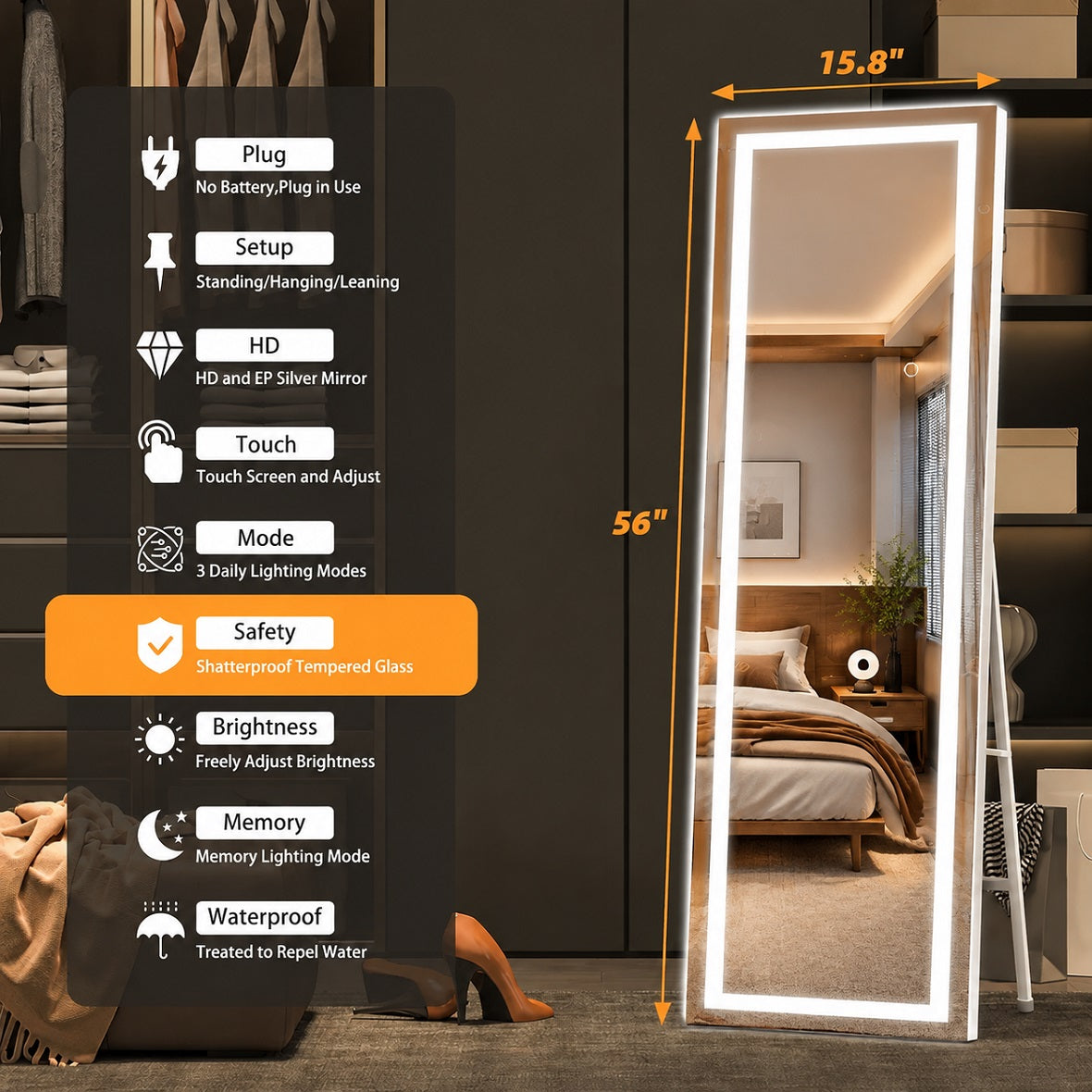
Controls vary by model. Many Hasipu LED mirrors offer adjustable brightness and multiple color temperatures, but the icon layout and memory behavior are not identical across the range.
The manual for the exact model is more reliable than instructions written for a different mirror.

6. Test the Other Mirror Functions
An LED mirror not working is often described as a touch-button problem even when the button is doing its job.
Test each available feature separately: lighting, brightness, color temperature, defogger, Bluetooth, or an illuminated clock.
The pattern matters:
- If every icon is dark, start with incoming power.
- If one button is dead and the others work, the problem may be limited to that sensor or feature.
- If the icon responds but the LEDs stay dark, the driver, light strip, or light connection becomes more likely.
- If only part of the mirror lights up, the touch control has already sent the command. A section of the LED strip or its connection may have failed.
- If the lights work but the defogger does not, troubleshoot the heating circuit separately.
The LED driver converts household electricity into the controlled output used by the mirror’s lights. A failing driver may cause no light, weak output, flashing, buzzing, or intermittent operation.
Drivers that look alike are not automatically interchangeable. Voltage, current, wattage, dimming method, and connector layout must match. Do not attach a random replacement power supply to test the mirror.
7. Think Back to When the Problem Started
The timing can reveal more than the button color.
The Mirror Never Worked After Installation
A newly mounted mirror that has never responded may have an installation problem.
Common possibilities include no power at the junction box, a hidden plug that is not fully seated, a loose connector, incorrect line or neutral connections, or a wall control that does not match the mirror.
Many LED mirrors dim through their built-in controls and are designed to receive normal, undimmed household power. Connecting that type of mirror to a standard wall dimmer can cause flickering, buzzing, poor touch response, or failure to start.
Some mirrors do support specific external dimmers. Compatibility depends on the driver and controller.
Ask the installer to compare the wiring and wall control with the product manual. Do not open a junction box or test live wires without the proper training and equipment.
It Stopped After Cleaning or a Hot Shower
Moisture and cleaner residue move to the top of the suspect list.
Cut power, dry the controls and edges, ventilate the room, and allow the mirror to dry before trying it again.
It Stopped After an Outage
Check the breaker and GFCI, then perform a full power reset.
A surge or voltage fluctuation can also damage a driver or control module, so a reset will not solve every post-outage failure.
It Works Only Some of the Time
Intermittent operation can come from condensation, unstable incoming power, a loose connection, or a component beginning to fail.
Make a note of when it happens—after showers, when another appliance runs, or only after the mirror has been on for several minutes. That detail helps an electrician or support team reproduce the fault.
Why Does the LED Mirror Turn On by Itself?
An LED mirror that turns on by itself may be reading moisture or residue as a touch.
Start by switching off power, cleaning and drying the glass, then testing the mirror after the bathroom has aired out.
Random operation on completely dry glass can point to a failing sensor board, poor grounding, electrical interference, or unstable power.
Do not ignore it when it appears with buzzing, flickering, heat, or breaker trips.
Why Does Only One Touch Button Work?
Separate icons often control separate circuits.
A working light button and dead defogger button do not suggest a total loss of power. The trouble may be limited to the defogger sensor, heating pad, relay, or connector.
The same reasoning applies when dimming works but the color temperature does not change. Power has reached the controls, so repeatedly resetting the entire circuit may not help an isolated component failure.
For a defogging issue, see Why Is My Anti-Fog Mirror Not Working?.
Stop Troubleshooting if You Notice These Warning Signs
Cut power to the mirror and call a qualified professional if you notice:
- A burning or hot-plastic smell
- Buzzing, popping, or crackling behind the glass
- Scorch marks near the controls
- Water inside the housing
- A damaged cord or visible wire
- A GFCI or breaker that trips repeatedly
- Cracked glass around the touch-control area
- Unusual heat from the mirror or adapter
- Lights that continue to flash after a reset
Do not bypass the sensor, splice wires, or open a wall-mounted mirror to look for a loose part. Those attempts can create a shock or fire risk and may complicate a warranty claim.
Can an LED Mirror Touch Sensor Be Replaced?
An LED mirror touch switch replacement is possible on some models.
The repair may involve the sensor board, controller, ribbon cable, connector, or driver rather than the icon itself.
Finding a compatible part is the hard part. Boards vary in voltage, output, button layout, dimming method, and sensitivity through glass. A generic module with the same shape may not operate correctly.
Contact the seller before opening a recently purchased mirror. For a Hasipu product, prepare:
- The model or product listing
- Your order number
- A photo of the full mirror
- A close photo of the touch icon
- A short video showing the problem
- Whether the icon is dark, lit, or changing color
- Any recent cleaning, installation, outage, or breaker trip
Send the details through the contact information on the Hasipu FAQs and support.
A 15-second video often gives the support team a clearer starting point than a long description.
Repair, Replace, or Get Professional Help
A sensor or LED driver repair may be worthwhile when the glass and reflective backing are still in good condition and the correct replacement part is available. Replacing the mirror is usually more practical when moisture has damaged several electrical components or the sealed housing cannot be serviced safely.
The mirror’s behavior offers a useful clue:
- A dark icon usually points to an incoming power problem.
- A lit but unresponsive icon suggests moisture, residue, or a controller fault.
- A responsive icon with no light may indicate a failed LED driver, strip, or internal connection.
A technician can confirm the failed part before the mirror is removed, helping you avoid an unnecessary replacement.

Final Thoughts
Run the bathroom exhaust fan during hot showers, wipe condensation from the touch icon, and apply cleaner to a microfiber cloth instead of spraying the mirror. Keep liquid away from the edges and electrical housing.
Start with simple checks: confirm the power, clean and dry the sensor, and reset the mirror. If the problem continues or you notice damaged glass, unusual heat, buzzing, or repeated breaker trips, turn off the power and contact a qualified professional.
Frequently Asked Questions
1. Why Is My LED Mirror Touch Button Lit but Not Working?
A lit icon means at least part of the control system is receiving power. Dry and clean the glass, use a bare fingertip in the center of the icon, then perform a full power reset.
If the icon remains unresponsive, the sensor or controller may need service.
2. How Do I Reset an LED Bathroom Mirror?
Disconnect power for at least 60 seconds. Restore it, wait a few seconds for the controls to initialize, and press the power icon once.
Follow the product manual when it specifies a different reset time or sequence.
3. Can Bathroom Steam Stop a Touch Mirror From Working?
Yes. Condensation can interfere with a capacitive touch sensor and may even cause false touches.
Ventilate the room, dry the icon and surrounding glass, then test the mirror again.
4. Why Does the Button Work but the LED Lights Stay Off?
The sensor may be sending the command correctly while the driver, LED strip, or an internal connection has failed.
A button that changes color with no light is a useful clue that the fault sits after the control.
5. Does the Touch Sensor Work When the Wall Switch Is Off?
No. If a wall switch supplies power to the mirror, it must be on before the glass controls can respond.
Some mirrors remember their previous setting when power returns; others return to standby.
6. Why Is My LED Mirror Touch Button Blinking?
A brief blink may be normal during startup. Continuous blinking with flickering, buzzing, or heat can indicate unstable power, an incompatible dimmer, a loose connection, or a control-board fault.
Switch off the mirror and arrange professional service.