

Table of Contents
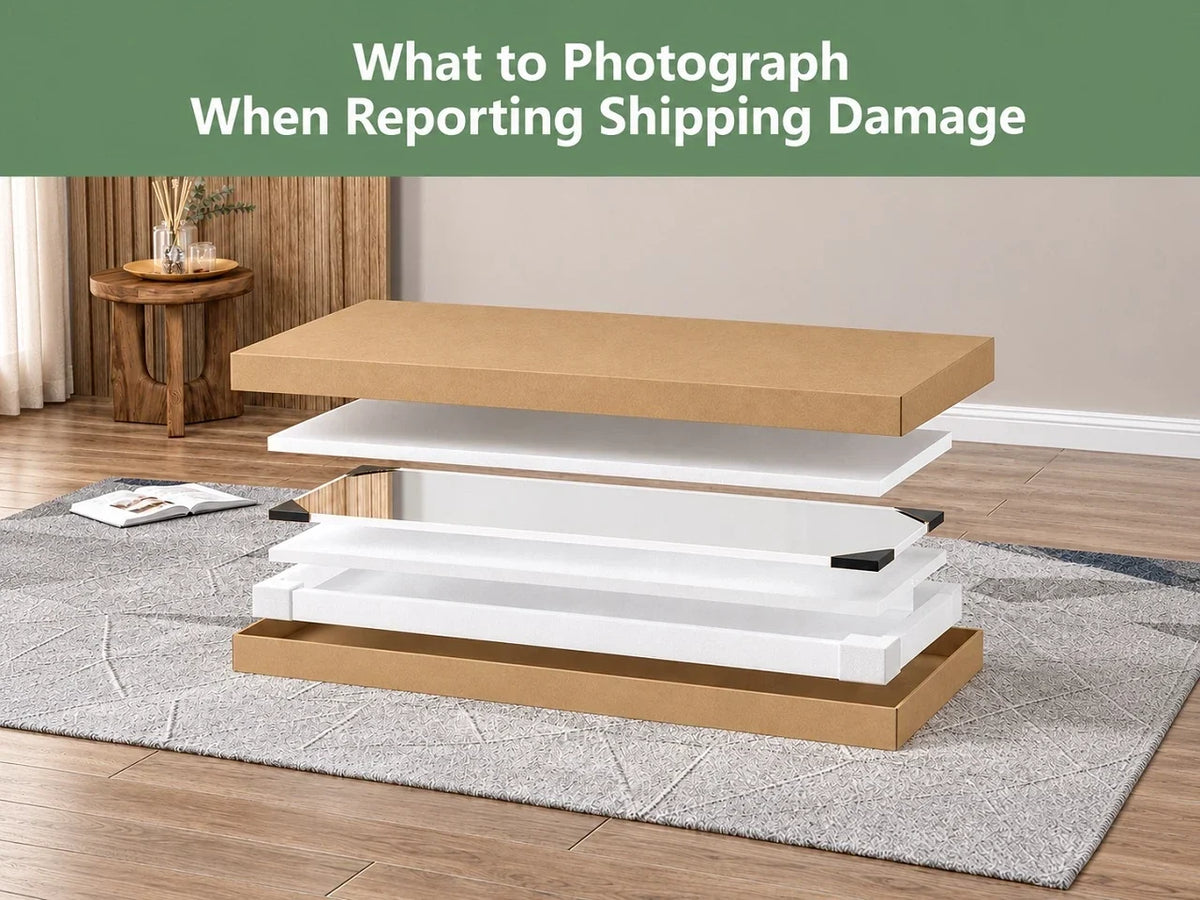
When a mirror arrives damaged, photograph the outer shipping box, shipping label, interior packaging, the mirror as a whole, and close-ups of each damaged area. Include a model label when it is safely accessible. Take pictures before changing the packaging or attempting repairs, and keep the original files.
A close-up of cracked glass tells part of the story. A wider photo shows where that crack sits. The packaging and label connect those pictures to the delivery.
This Hasipu guide explains how to put those details together, including how to photograph a reflective surface without glare hiding the problem.
Pause Unpacking When You Find Damage
A broken mirror does not need to come out of its box for a better picture.
Stop when you notice cracked glass, loose fragments, or a frame that has separated. Keep children and pets away, and photograph what you can from a safe position. Do not lift a large damaged mirror, turn it over, or pull away protective material just to complete a checklist.
For an LED mirror damaged during shipping, leave it disconnected. Do not plug it in to check whether the lights still work.
When a requested angle would require unsafe handling, explain that in your message. An accessible photo and a clear description are a useful starting point.
Your Shipping Damage Photo Checklist
Use this as a practical guide. The seller or carrier may request additional views for your particular shipment.
| Photo | What to include |
|---|---|
| Outer carton | A wide view of the box and any visible dents, holes, crushed edges, or wet areas |
| Shipping label | A readable view of the tracking number and label attached to the carton |
| Interior packaging | The mirror in its packaging, with foam, corner protectors, and other cushioning visible |
| Overall mirror view | As much of the mirror and frame as you can safely show |
| Damage details | Focused pictures of each crack, chip, scratch, bent section, or separated joint |
| Product identification | An accessible model, SKU, or serial label, when present |
The package views have a practical purpose. UPS lists the damaged item in its packaging, the shipping label, and the package exterior among its requested damage-claim photos. Its process also asks for the box dimensions. UPS photo documentation guidance.

Start With the Box and Packing Materials
Photograph the carton before flattening it or removing labels. Show its general condition, then move closer to any visible damage. Capture the accessible sides; do not rotate an unstable package containing broken glass.
Keep the shipping label in focus. Open the picture on your phone and check that the tracking number is readable before moving on.
Inside the box, photograph the cushioning where you found it. A compressed foam corner, a gap beside the frame, or a torn inner sleeve may be useful details. Describe what is visible without deciding what caused the damage.
Already unpacked the mirror? Photograph the packaging you still have and explain that you had removed it before noticing the problem. Do not recreate an unopened package or rearrange the contents to suggest a condition you did not observe.
Share unredacted shipping-label photos through the seller’s or carrier’s official support channel. Before posting pictures publicly, hide your name, address, tracking number, and barcodes on a separate copy.
Pair Each Close-Up With a Wider View
A tight crop can make a small chip look clear while leaving its location a mystery.
For damaged mirror photos, use a simple sequence: show the mirror, show the affected section, then show the detail. Take only the views that are safe to capture.
For example, a frame dent near the bottom corner could have:
- A wider picture showing which corner is affected.
- A closer picture showing the dent and the adjoining frame edge.
For a long crack, include a view showing its visible path. Several disconnected close-ups can make the same crack look like separate areas of damage.
Keep location descriptions consistent. “Lower-right corner when facing the mirror” is more useful than “this side.” Use that wording in your message and attachment names so the reader can match them.
There is no need to measure a crack by touching the glass. A nearby frame edge can provide visual context without placing an object against the damaged surface.
Make Mirror Damage Visible Without Changing It
Mirrors can be awkward to photograph. A window reflection may hide a hairline crack, while a ceiling light can make a scratch disappear.
Move the phone rather than the damaged mirror. Try a slightly different angle while keeping your footing clear of any glass. Turn off the flash when it produces a bright reflection over the affected area.
Other small adjustments can help:
- Add gentle light from the side to make surface marks easier to see.
- Tap the damaged area on your phone screen to set focus.
- Take another view from farther back when the camera keeps focusing on the reflected room.
- Check the saved image at full size for blur and glare.
Avoid portrait mode, beauty filters, and AI enhancement. Send the original pictures. A separate copy with an arrow can help point out a subtle mark, but keep an unmarked version too.
Do not rub a suspicious line, peel away film over broken glass, or press on an edge to make the damage more obvious. Describe uncertainty plainly: “This line was visible when I opened the package.”

Include the Details That Identify the Affected Item
A readable model number or SKU can help distinguish mirrors that look similar but have different sizes, finishes, or mounting parts. Photograph an accessible label without removing the back panel or turning over damaged glass.
For orders containing several mirrors, keep each item’s pictures together. Use simple names such as “Mirror A — carton,” “Mirror A — overall,” and “Mirror A — upper-left chip.” Match each set to its shipping label when separate labels are available.
Photograph damaged accessories separately. A bent mounting bracket or cracked adapter housing deserves its own clear picture.
Missing hardware and lighting problems should also be reported, but describe them as separate observations. A still photo cannot establish why a light fails, and an empty compartment alone cannot prove when a part went missing. Explain what you found and let support guide the next step.
Keep the Packaging While You Ask for Instructions
After taking shipping damage photos, keep the box, cushioning, labels, and product safely contained while the report is reviewed. FedEx instructs claimants to retain the original packaging and contents until the claim is resolved because an inspection may be required. FedEx claims guidance.
Do not leave loose glass exposed to preserve a photo opportunity. When the package cannot be kept safely, explain the situation promptly and request handling or disposal instructions.
Wait for instructions before shipping a broken mirror back. Do not attempt to repair the damage while the seller is assessing the report.
How to Report a Damaged Hasipu Delivery
For an order placed directly with Hasipu, email support@hasipuhome.com with your order number, a short description, and clear photos of the item. Include packaging and shipping-label pictures when available; a video can also help.
Hasipu recommends reporting the issue as soon as possible, preferably within 7 days of delivery. That is a recommended reporting timeframe, not a separate eligibility cutoff. Reporting later, opening the item for inspection, or no longer having the original packaging does not automatically disqualify a damage claim. Contact support before returning anything. Hasipu Return & Refund Policy.
A short message can cover the necessary details:
Hello Hasipu team,
My order [order number] arrived on [delivery date]. I noticed [describe the damage and its location] when [explain when you discovered it].
The outer carton [describe its condition]. I have attached the available photos of the mirror, damage, packaging, and shipping label.
[Describe any unpacking or assembly already completed and any parts that are unsafe to move.]
Please advise on the next steps.
For a purchase made through another retailer or marketplace, begin with that order’s support page so the report is linked to the correct transaction.
Frequently Asked Questions
1. What if the box looks fine but the mirror is cracked?
Photograph both. Report that the carton showed no visible damage and explain when you discovered the crack. You do not need to identify the cause before asking for help.
2. Do I need an unboxing video?
Send the photos and information you have. Hasipu’s policy describes video as helpful when available; it does not list an unboxing recording as a requirement. Do not delay your report because you did not film the opening. Hasipu damage-reporting requirements.
3. How many photos should I send?
Send enough distinct views to identify the shipment, show the packaging, locate the damage, and make the affected area clear. Several nearly identical close-ups add less information than a useful wider view. Follow any specific upload instructions from support.
Before sending, check that the label is readable, the damage is visible, and each picture belongs to the correct mirror. Then send the report with the delivery date and your description of what you found.